
Kodachrome 64
The colour of the great magazines.
Flat file. Film.


Drag the handle to compare.
The colour of the great magazines.
The slide film behind half a century of travel and magazine photography: the reds, the blues and the deep shadows of the great reportage. We rebuilt its bold, printed colour for digital files, with twenty variations for every kind of light.
- Colour with weightreds and yellows that feel printed, not pushed.
- Deep, rich blacksinstant depth and drama in bright light.
- Our biggest pack20 variations, double the usual range.
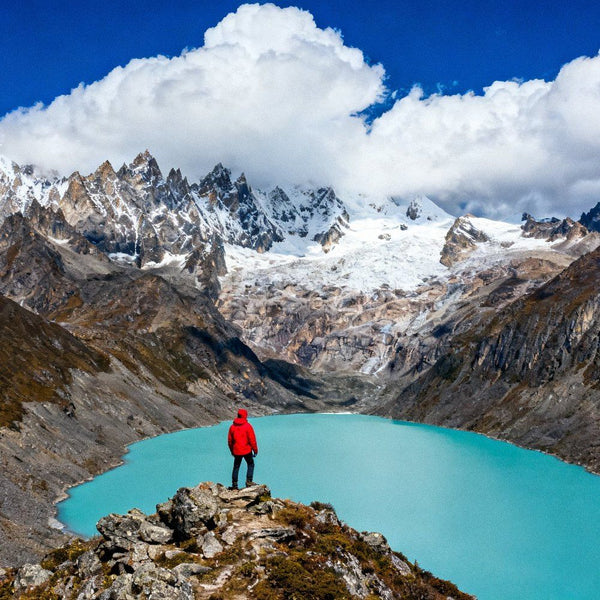
 Editorial illustration · Kodachrome 64 look
Every look, every format.
Compatibility: Adobe Lightroom CC and Lightroom Classic CC, Adobe Photoshop via Camera Raw and Capture One. Instant download after checkout, with an installation guide.
Use Neutral when skin tones lead the frame, Blue for skies and sea, and the Fade variations for a softer, archival print feel.


From checkout to film in minutes.
Instant download
Your files arrive right after checkout, by email and on the order page, with a step-by-step installation guide.
Install once
Import the .xmp, .dng or .costyle files into Lightroom, Photoshop or Capture One. It takes about two minutes.
One click
Apply the look to a single photo or a whole shoot, then fine-tune exposure and white balance to taste.



Get Kodachrome 64.
€19€39
Instant download · .xmp · .dng · .costyle
Good to know.
What do I get?
20 Kodachrome 64 variations in every format. Every look comes in .xmp (Lightroom & Photoshop), .dng (Lightroom mobile) and .costyle (Capture One), with an installation guide.
Can I use them on client work?
Yes. You can use the presets on your own photos for personal and commercial work, including the photos you deliver to your clients. What you can't do is share, resell or redistribute the preset files themselves.
How long does it take to install?
A couple of minutes. Every download includes a step-by-step guide for Lightroom, Lightroom mobile, Photoshop and Capture One.
Do they work on my phone, on Mac and on Windows?
Yes. The .dng files work in the free Lightroom mobile app on iPhone, iPad and Android; the .xmp and .costyle files work on Mac and Windows. They work on JPEGs too, though you get the most out of them on RAW files.
Is it a subscription?
No. You pay once and the files are yours to keep, with no renewals.
How do I receive the files, and what if I lose the link?
The download link appears right after checkout and arrives in your order confirmation email. You can download your files again at any time from your account at account.hellopresets.com: sign in with the email you used at checkout. Still stuck? Write to info@hellopresets.com.
Pack, bundle or Master Collection?
A pack is one film. A bundle is a whole family of films (for example all the warm colour films, or both black & whites) for less than buying them one by one. The Master Collection is all 15 films at the lowest price per film.
Will it look exactly like the photos on this page?
The photographs on this page are editorial illustrations of the film's character. The presets work on colour, tone and grain, so the result depends on your light and your images. That's why every film comes with multiple variations.
Is this an official product of the film's manufacturer?
No. HelloPresets is an independent brand. These are original simulations created by our team, with no affiliation, partnership or sponsorship of any kind with the film manufacturers, and we don't use their logos or any material they own.
Refunds?
Digital files can't be returned once downloaded. If something isn't working, write to info@hellopresets.com and we'll help.
Original HelloPresets film simulations. Created by our team and sold only at hellopresets.com: not resold, rebranded or PLR packs. Independent brand, with no affiliation of any kind with the manufacturers of the films that inspired them.
